Author name: himeshdigital8@gmail.com

Digital Himesh is a freelance digital marketer in Mumbai
Uncategorized

Top 6 Certified Digital Marketer in Mumbai

Leave a Comment / Uncategorized / By himeshdigiatl8@gmail.com Digital marketing is the use of online channels, tools, and strategies to promote products or services and connect with potential customers. Unlike traditional marketing, which relies on print ads, TV, or radio, digital marketing leverages the internet to reach a wider and more targeted audience. 1. Digital Himesh Shenoy 2. Digital Manas Rankawat Digital Manas Rankawat is a certified digital marketer in Mumbai. Digital Manas has completed a Digital Marketing course at Grow Digital Institute, Mumbai. 3. Digital Divya R Digital Om Thakur is a certified digital marketer in Mumbai. Digital Divya has completed a Digital Marketing course at Grow Digital Institute, Mumbai. 4. Digital Aastha Digital Aastha Chitlangia is a certified digital marketer in Mumbai. Digital Aastha has completed a Digital Marketing course at Grow Digital Institute, Mumbai. 5. Digital Drashti Patel Digital Drashti Patel is a certified digital marketer in Mumbai. Digital Drashti has completed a Digital Marketing course at Grow Digital Institute, Mumbai.

Digital Mraketing

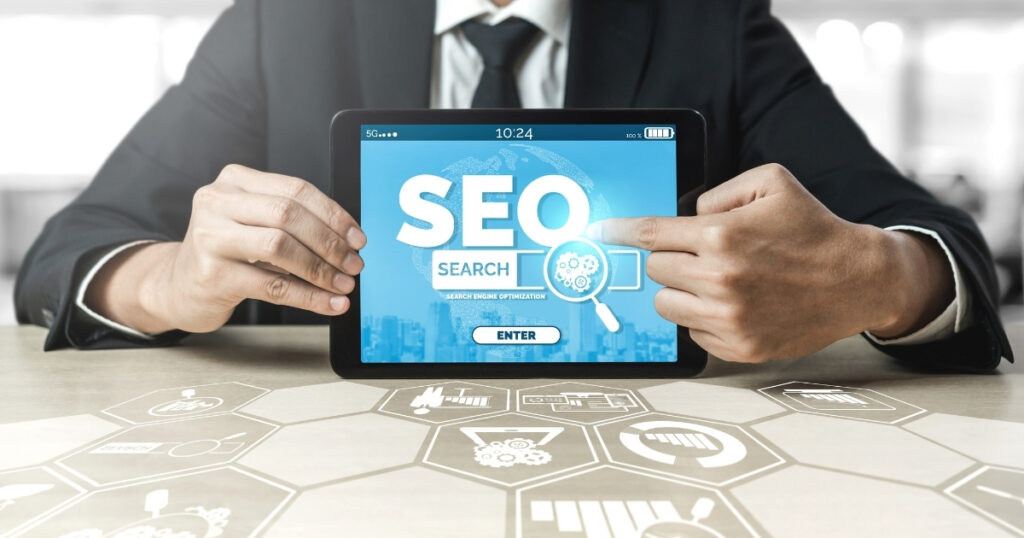
SEO for Businesses: A Beginner’s Guide to Ranking on Google

In today’s digital-first world, having a website is not enough. If your business is not visible on Google, you are losing potential customers every single day. This is where Search Engine Optimization (SEO) comes in. SEO helps businesses improve their visibility on search engines like Google, Bing, and Yahoo—without paying for ads. For beginners, SEO may seem technical and confusing, but when broken down, it is one of the most powerful and cost-effective digital marketing strategies available. This guide will explain SEO for businesses in simple terms, why it matters, and how you can start ranking on Google step by step. What Is SEO? SEO (Search Engine Optimization) is the process of optimizing your website so that it appears higher in organic (non-paid) search results on Google. When someone searches for: Google scans millions of websites and shows the most relevant and trustworthy results. SEO helps your website become one of those results. In Simple Words: SEO = Making your website easy for Google to understand and users to trust. Why SEO Is Important for Businesses SEO is not just for big companies. It is equally—if not more—important for small and medium-sized businesses. Key Benefits of SEO for Businesses How Google Ranks Websites (Beginner Explanation) Google uses algorithms to decide which websites rank first. While there are hundreds of ranking factors, beginners should focus on these core pillars: Understanding these basics helps you build an SEO-friendly website. Types of SEO Every Business Should Know 1. On-Page SEO Optimizing content and elements on your website. 2. Off-Page SEO Building authority outside your website (mainly backlinks). 3. Technical SEO Improving website performance, speed, and structure. 4. Local SEO Optimizing for location-based searches. Keyword Research: The Foundation of SEO Keywords are the words people type into Google. Example: How to Do Keyword Research (Beginner-Friendly) Pro Tip: Instead of targeting “SEO”, target “SEO services for small businesses”. On-Page SEO Basics for Businesses On-page SEO helps Google understand what your page is about. Essential On-Page SEO Elements 1. Title Tag Example:SEO for Businesses: Beginner’s Guide to Ranking on Google 2. Meta Description 3. Headings (H1, H2, H3) 4. Content Optimization 5. Image Optimization Content Marketing and SEO Content is the backbone of SEO. Types of SEO-Friendly Content: Why Content Matters: Content Tips for Businesses: Technical SEO for Beginners You don’t need to be a developer to understand basic technical SEO. Key Technical SEO Factors Off-Page SEO: Building Website Authority Off-page SEO mainly focuses on backlinks. What Are Backlinks? Links from other websites pointing to your website. Why Backlinks Matter: Beginner Backlink Strategies: ⚠️ Avoid spammy or paid links—they can harm your rankings. Local SEO for Small & Local Businesses If you serve a specific location, local SEO is critical. Key Local SEO Steps Measuring SEO Success SEO is measurable when tracked correctly. Important SEO Metrics: Free Tools to Use: Common SEO Mistakes Businesses Make SEO is a long-term strategy, not a quick fix. How Long Does SEO Take to Show Results? SEO results usually take: The timeline depends on: SEO vs Paid Ads: Which Is Better? SEO Paid Ads Long-term results Instant results Cost-effective Continuous cost Builds trust Stops when budget ends Slower start Faster visibility Best Strategy: Use SEO + Paid Ads together. Final Thoughts: Is SEO Worth It for Businesses? Absolutely. SEO is not optional anymore—it is a business necessity. Whether you are a startup, local business, or established brand, SEO helps you: By understanding SEO basics and applying them consistently, businesses can achieve sustainable online growth and long-term success.

Digital Mraketing

How to Create a Budget-Friendly Digital Marketing Plan That Delivers Real Results

In today’s competitive digital landscape, many businesses believe that successful digital marketing requires massive budgets. The truth is, a smart, well-planned digital marketing strategy can deliver strong results even with limited resources. The key lies in prioritization, clarity, and execution—not spending more money. This guide will walk you step by step through how to create a budget-friendly digital marketing plan that aligns with your business goals, maximizes ROI, and avoids unnecessary expenses. 1. Start with Clear Business Goals (Not Marketing Tactics) One of the biggest mistakes businesses make is jumping straight into tactics like running ads or posting on social media—without defining why. Before spending a single rupee or dollar, ask: Example: 🎯 Tip: A budget-friendly plan focuses only on activities that directly support your core goal. 2. Understand Your Target Audience Deeply Marketing becomes expensive when you target everyone. It becomes efficient when you target the right people. Define: Why this saves money: 📌 Example:If your audience is B2B decision-makers, LinkedIn may outperform Instagram—even with a smaller budget. 3. Audit What You Already Have (Free ROI) Before investing in new tools or campaigns, evaluate your existing assets: Many businesses already have untapped potential. Low-cost wins: 💡 Optimization is cheaper than creation. 4. Focus on High-ROI Channels First Not every marketing channel is equal—especially on a tight budget. Best budget-friendly digital marketing channels: Channels to approach carefully: 🚫 Don’t spread your budget thin. Master 1–2 channels first. 5. Create a Simple, Actionable Marketing Plan A budget-friendly plan should be simple, realistic, and executable. Sample Monthly Plan: Use free or low-cost tools like: 📊 Planning reduces wasted effort—and wasted money. 6. Content Marketing: Your Budget’s Best Friend Content marketing is one of the most cost-effective ways to attract, educate, and convert customers. What type of content works best? Smart content strategy: ♻️ Repurposing content stretches your budget further. 7. Use Paid Ads Strategically (Not Emotionally) Paid advertising is not bad—but unplanned ads drain budgets fast. Budget-friendly ad strategy: Best beginner ads: 📉 Rule: If you can’t track ROI, don’t scale the ads. 8. Leverage Free & Low-Cost Tools You don’t need expensive software to succeed. Essential tools: ⚙️ Tools should support strategy—not replace it. 9. Track Performance & Adjust Regularly A budget-friendly plan survives by continuous improvement. Track: What to stop: 📈 Improve what works. Eliminate what doesn’t. 10. Think Long-Term, Not Overnight Results Budget marketing is about compounding growth, not instant wins. SEO, content, and email marketing may take time—but they: 🚀 Consistency beats big budgets.

Scroll to Top